For a circuit board that needs a box
A custom enclosure for your electronics, from a description
Tell your AI assistant the size of the board, where the connectors are and how the lid should close. The 3D studio builds the box, measures it, shows it from four sides and hands you an .stl and a .3mf for your slicer.
Connect your assistant About the 3D studio
https://pilot.legit2compute.com/mcp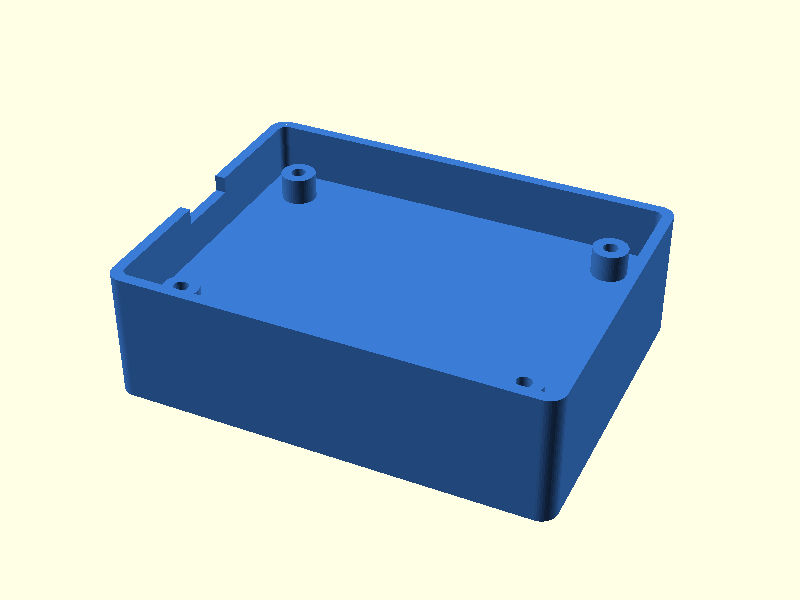
Who it is for
Most electronics projects reach the same point: a working circuit board and nothing to put it in. Ready-made project boxes come in fixed sizes, and a box somebody shared online was drawn for their board, with their connectors in their places.
The usual answer is to learn a CAD program for the sake of one box. This page is for people who would rather give the numbers. Your assistant writes the box as a short OpenSCAD program with your dimensions in it, the studio builds and measures it, and you look at the pictures. You install nothing.
What to tell your assistant
The box is made from your numbers, so the description is the design. Measure the board with a caliper and have these ready:
- The board. Length and width in millimetres, and the height of the tallest component, so the inside is tall enough.
- Clearance. The gap between the board and the walls. We asked for 3 mm in our run.
- Wall thickness. We asked for 2 mm.
- Mounting holes. The spacing between the holes and the screw size, so the posts land under them.
- Connectors. For each opening: which wall, how wide, how tall, and how far it is from a corner and from the floor of the box.
- The lid. Say how it should close. The lid in our run presses on.
A box we measured
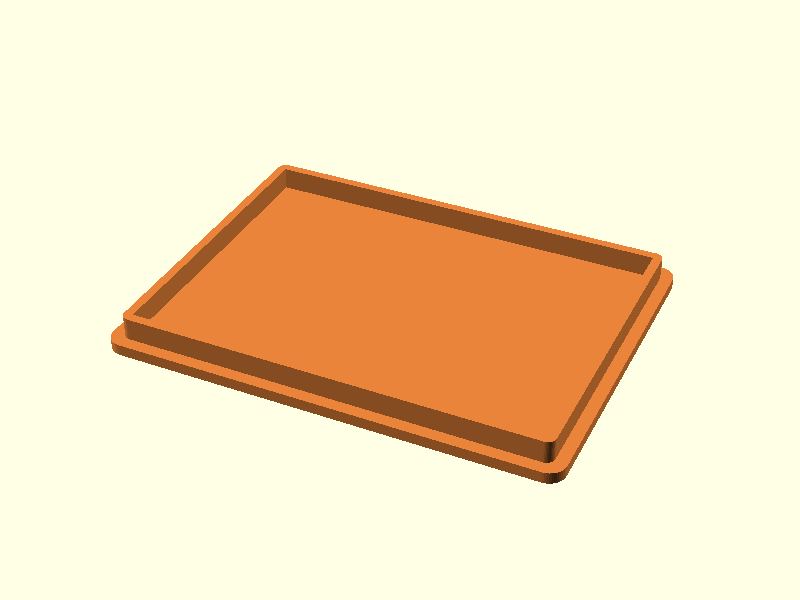
We asked for a box for a 70 x 50 mm circuit board with 3 mm of clearance, 2 mm walls, four M3 posts and a 12 x 7 mm opening on one short side. The studio built it in 2.3 seconds and reported what it had built:
| Part | Measured |
|---|---|
| The box | 80.00 x 60.00 x 24.00 mm, volume 72.95 cm³, sitting on the bed |
| Its lid | 80.00 x 60.00 x 6.00 mm |
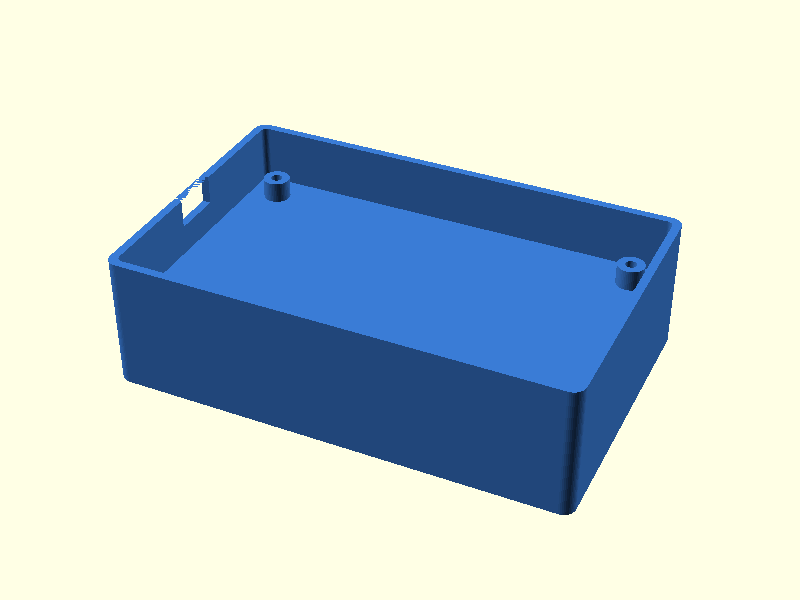
| The box again, for a 100 x 60 mm board with 30 mm inside | 110.00 x 70.00 x 32.00 mm |
The outside follows from the numbers asked for: a 70 mm board, 3 mm of clearance on each side and a 2 mm wall on each side make 80 mm. When a measured size does not add up like that, you see it before you print.
What comes back
- An .stl and a .3mf of each part. The box and the lid are separate parts with their own files.
- The measured size: width, depth and height in millimetres, the volume, the footprint and whether the part sits on the bed.
- Pictures from four sides, so you can check that the opening is in the wall you meant.
- OpenSCAD's own warnings, which your assistant reads and fixes instead of guessing.
Changing the box
A part is kept under its name with the values it was built from, so a change is a sentence. We changed the board to 100 x 60 mm and the inside height to 30 mm, and the same box was rebuilt in 2.1 seconds as 110.00 x 70.00 x 32.00 mm, with new pictures and new files.
Your studio's files come back the next time your assistant opens it, and are deleted 30 days after it was last closed, so you can return for the next revision of the board. An enclosure is one kind of part among many: the same studio makes replacement parts from caliper measurements and other brackets, clips and adapters, and can render a picture of the finished box.
What it does not do
- It does not read your board's design files. The assistant places each cut-out where you say, from the positions you measured.
- It cannot tell you how your printer prints. Printers differ. For a tight lid ask for 0.2 to 0.4 mm of clearance and expect one test print.
- It does not judge the design. Whether the box suits what goes inside it, and where it will be used, is for you to decide.
Things to ask for
What it costs
Studio time, parts, draft pictures, vector art and exports are not charged. The first 5 finished renders on an account are free. After that a render is paid from your credit balance when it starts, and refunded if it fails.
| Finished render | Draft | Good | Best |
|---|---|---|---|
| Still, up to 1080p | $0.01 | $0.03 | $0.06 |
| Still, 4K | $0.04 | $0.12 | $0.24 |
| Video, per frame at 720p | $0.005 | $0.01 | $0.02 |
| Video, per frame at 1080p | about $0.011 | about $0.023 | $0.045 |
One video job is at most 300 frames. A 3-second draft turntable at 720p and 24 frames a second is 72 frames: $0.36. Add credits on your account page.
Questions
Do I need a CAD program or OpenSCAD installed?
No. OpenSCAD and its libraries run in the studio. You need your measurements and the slicer you already print with.
Can it read my board's design files?
No. The assistant places cut-outs and posts where you say. Give it the board size, the spacing of the mounting holes, and the position and size of every connector.
Will the lid fit?
The studio reports the size it actually built: in our run the box and its lid both measured 80.00 by 60.00 mm across. How tightly a printed lid sits depends on your printer, so ask for 0.2 to 0.4 mm of clearance and expect one test print.
Can I get the OpenSCAD source too?
Yes. Ask your assistant for the code it wrote; it is ordinary OpenSCAD and opens in OpenSCAD on your own computer. The libraries it uses are open source.
Which assistants can use it?
Any assistant that can add a remote connector (the MCP standard) with sign-in. ChatGPT, Claude and Codex support that standard. You add one address and allow the connection from your legit2compute account.
Can the studio reach the internet or my computer?
No. A studio has no network connection at all, and it runs on our side, not on your computer. It works only on what your assistant writes or uploads into it, and hands files back through the chat.
What does it cost?
Studio time, parts, draft pictures, vector art and exports are not charged. The first 5 finished renders on an account are free. After that a render is paid from your credit balance when it starts, and refunded if it fails. A still up to 1080p is $0.01 at draft quality, $0.03 at good and $0.06 at best; a 4K still is four times that. Video is $0.005, $0.01 or $0.02 per frame at 720p, and 2.25 times that at 1080p.
More: The 3D studio · Hosted Blender MCP server · OpenSCAD MCP server · AI product renders
Things to make: AI 3D print design · Gridfinity bin generator · Replacement parts to 3D print · Laser-cut SVG and DXF generator
Updated 2026-11-24.