For listings, manuals and portfolios
Product renders and turntable videos from a description or a 3D file
Upload an .stl or a .glb, or have your AI assistant model the product. It sets up the floor, the lights and the camera in Blender, checks the picture, and renders the final still or turntable video on a graphics card.
Connect your assistant About the 3D studio
https://pilot.legit2compute.com/mcpTwo ways to start
- From a file you have. Hand your assistant an .stl from your CAD program or slicer, or a .glb, and it uploads the file into the studio and imports it into the scene. Uploads pass through the assistant, so small files work best.
- From a description. The assistant models the product in Blender with a script, or, for something with exact dimensions, builds it as a measured part first and brings that into the scene.
Either way the scene is kept between steps, so "the same again from the other side" does not start from nothing.
Lighting like a product photo
A model on a grey default background is not a product picture. Ask for the things a photographer would set up, in plain words: a floor or a backdrop and its colour, soft light from one side, a material such as brushed metal or matt plastic, and a camera angle. The assistant writes that into the scene, looks at the result, and corrects it before it shows you.
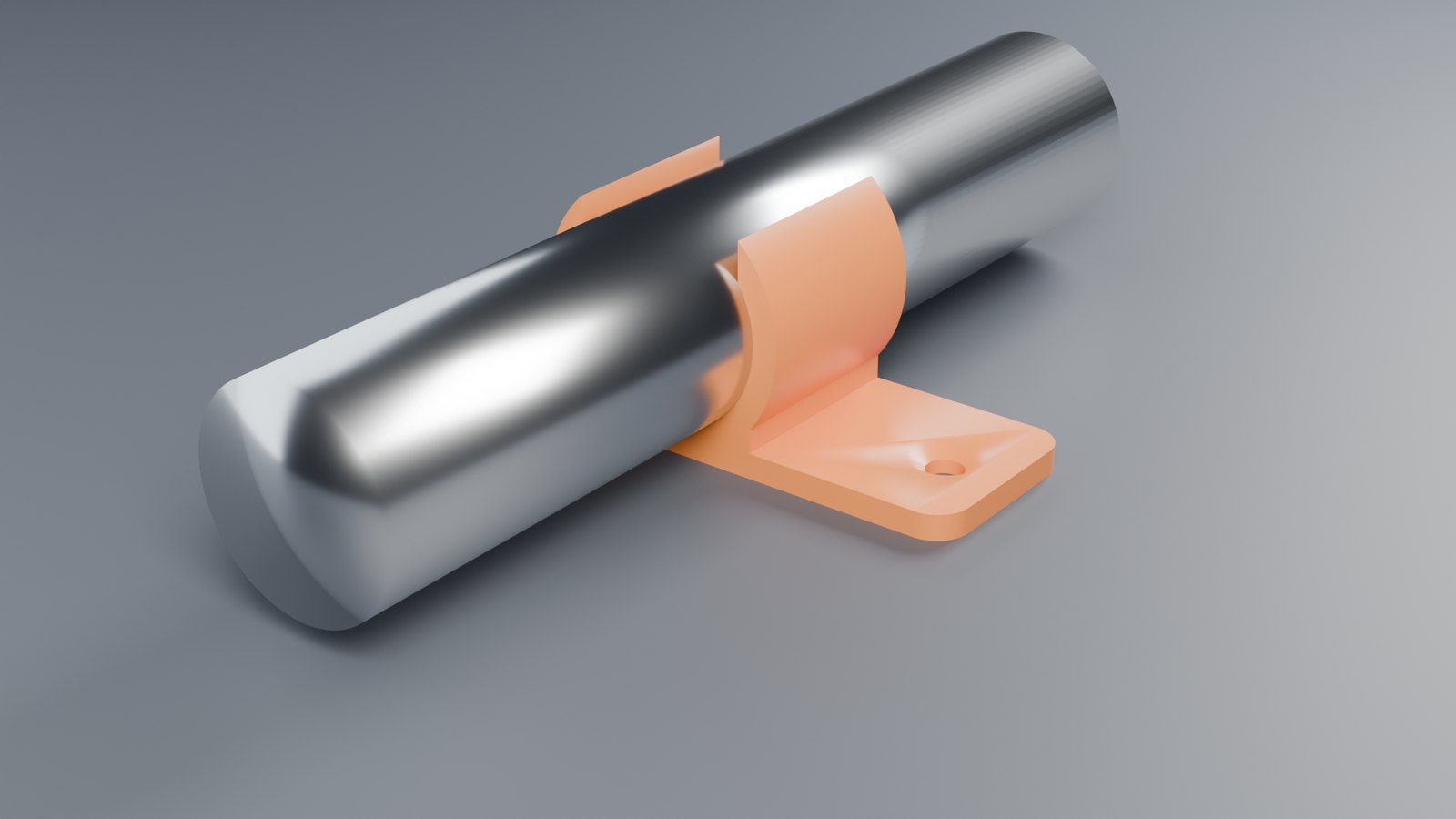
Direct it the way you would direct a person: "lower the camera", "darker floor", "less shine on the metal".
A draft and a final render are different things
A draft picture is a quick look at the scene from the camera, the front, the side, the top or a corner. Your assistant uses it to check its own work, and you use it to say yes or no to the angle and the light.
A final render runs on a graphics card and is the picture you publish. You choose its quality: draft, good or best. Draft is the quickest and best is the most finished. Settle the look on draft pictures, then ask for the final render once.
What you can ask for
- A still at the size you say, up to 4K.
- A turntable video: the product shown from all the way round.
- The scene's own animation, if the assistant animated something in it.
- The model itself as .glb, .stl, .obj, .fbx, .ply or the .blend, to use in other software.
In our tests a 1080p still rendered in under a minute. A turntable is many frames and takes several minutes; your assistant can carry on and collect it when it is done. More on the workspace behind this: the hosted Blender MCP server.
Things to ask for
What it costs
Studio time, parts, draft pictures, vector art and exports are not charged. The first 5 finished renders on an account are free. After that a render is paid from your credit balance when it starts, and refunded if it fails.
| Finished render | Draft | Good | Best |
|---|---|---|---|
| Still, up to 1080p | $0.01 | $0.03 | $0.06 |
| Still, 4K | $0.04 | $0.12 | $0.24 |
| Video, per frame at 720p | $0.005 | $0.01 | $0.02 |
| Video, per frame at 1080p | about $0.011 | about $0.023 | $0.045 |
One video job is at most 300 frames. A 3-second draft turntable at 720p and 24 frames a second is 72 frames: $0.36. Add credits on your account page.
Questions
Do I need Blender or a graphics card?
No. Blender runs in the studio and the final renders run on our graphics cards. Your computer only talks to your assistant.
Which 3D files can I start from?
An .stl or a .glb. Your assistant uploads the file into the studio, so small files work best. With no file, describe the product and the assistant models it.
What is the difference between a draft and a final render?
A draft picture is a quick look your assistant takes to check the scene. A final render runs on a graphics card at the quality you choose (draft, good or best) and is the still, turntable or animation you keep.
How long does a render take?
In our tests a 1080p still took under a minute. A turntable video takes several minutes, longer when the cards are busy. Your assistant can keep working and collect it when it is done.
Can I come back and render another angle later?
Yes, if you ask for a save point. It keeps the scene and its files for 7 days. Without one, a studio closes after 15 minutes unused.
Which assistants can use it?
Any assistant that can add a remote connector (the MCP standard) with sign-in. ChatGPT, Claude and Codex support that standard. You add one address and allow the connection from your legit2compute account.
Can the studio reach the internet or my computer?
No. A studio has no network connection at all, and it runs on our side, not on your computer. It works only on what your assistant writes or uploads into it, and hands files back through the chat.
What does it cost?
Studio time, parts, draft pictures, vector art and exports are not charged. The first 5 finished renders on an account are free. After that a render is paid from your credit balance when it starts, and refunded if it fails. A still up to 1080p is $0.01 at draft quality, $0.03 at good and $0.06 at best; a 4K still is four times that. Video is $0.005, $0.01 or $0.02 per frame at 720p, and 2.25 times that at 1080p.
More: The 3D studio · Hosted Blender MCP server · OpenSCAD MCP server
Things to make: AI 3D print design · Gridfinity bin generator · 3D printed enclosure generator · Replacement parts to 3D print · Laser-cut SVG and DXF generator
Updated 2026-11-24.